Find & Replace for HubSpot
Search and replace text across all your pages, blog posts, and forms in seconds. Perfect for rebranding, URL updates, and fixing typos across your entire HubSpot website.
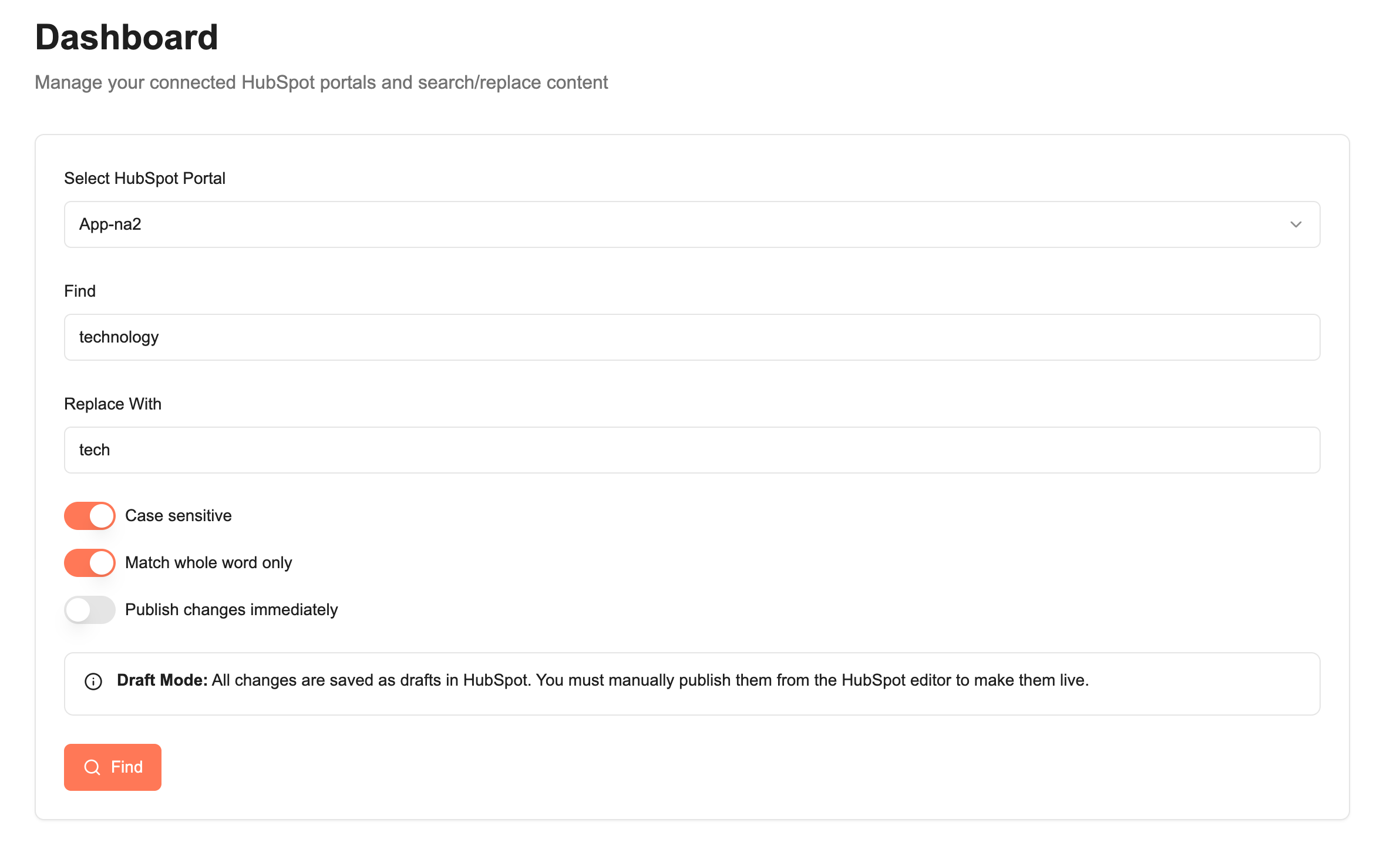
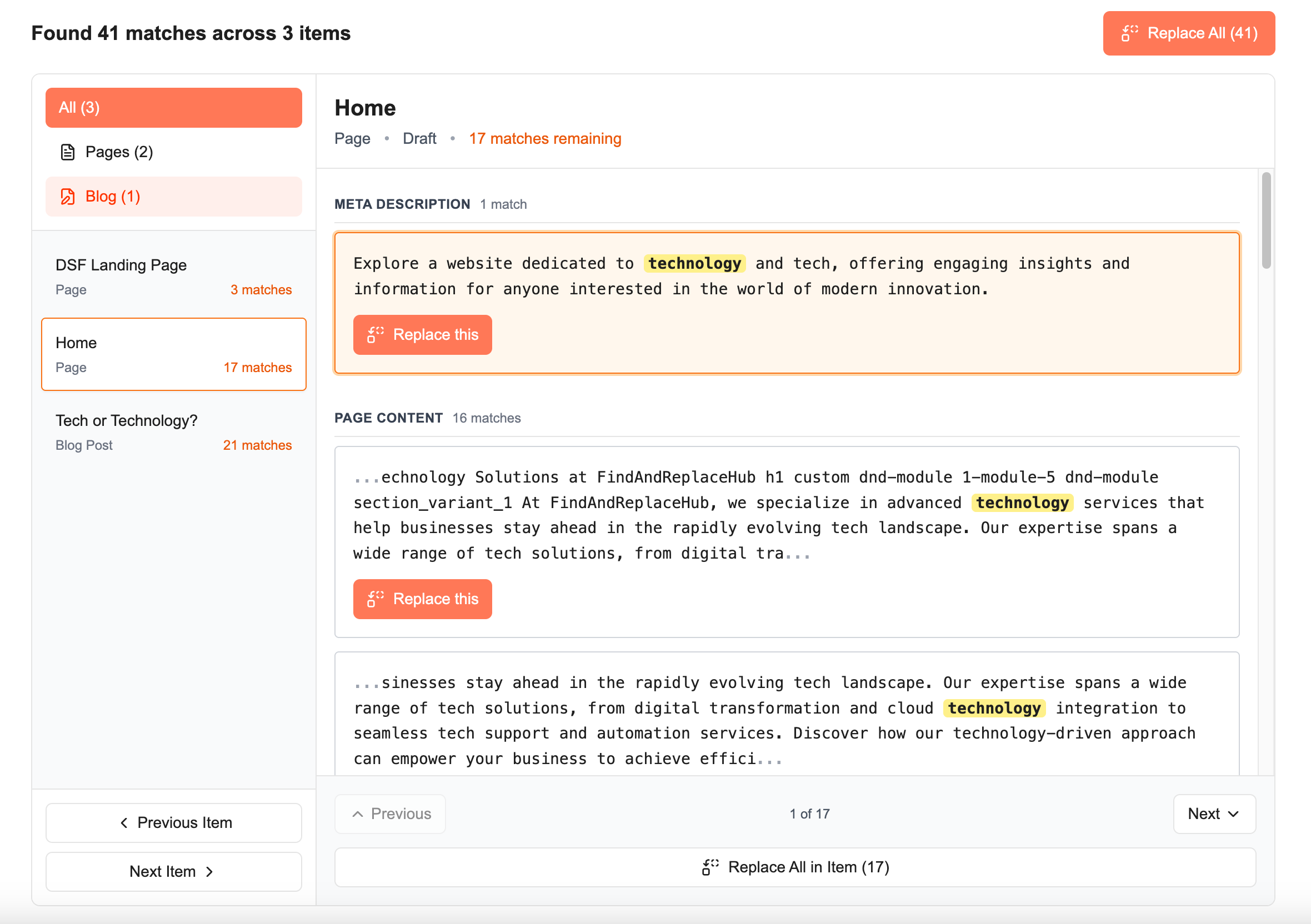
Powerful search and replace for HubSpot
Save hours of manual editing. Find and replace content across your entire website.
Pages, Blogs & Forms
Search across all your website pages, landing pages, blog posts, and marketing forms in one place.
Replace All or One-by-One
Replace all matches at once, or review and replace them individually with full control.
Safe Draft Updates
All changes are saved as drafts. Review and publish when you're ready.
Simple, affordable pricing
Choose the plan that's right for you and start updating your HubSpot portal today.
Free
Try it out
- 5 searches per year
- 10 replacements per year
- Pages, blog posts & forms
- 1 HubSpot portal
- ×Replace All
Unlimited
For teams and power users
- Unlimited searches
- Unlimited replacements
- Pages, blog posts & forms
- Unlimited HubSpot portals
- Replace All feature
- Priority support
Frequently Asked Questions
Find answers to common questions about FindAndReplaceHub.
What content can I search and replace?
You can search and replace text across CMS pages (both site pages and landing pages) and blog posts in your HubSpot portal. All content is updated as drafts, so you can review before publishing.
How does billing work?
Our Free plan gives you 5 searches and 10 replacements per year to try out the service. The Unlimited plan is billed annually at $49/year and gives you unlimited searches and replacements across unlimited HubSpot portals.
Is my data safe?
Yes. We use HubSpot's official OAuth to securely access your portal. We don't store your content - we only store your portal connection info. All changes are made as drafts, giving you full control before publishing.
Can I use this with multiple HubSpot portals?
Yes! Both Free and Unlimited plans support unlimited HubSpot portals, making it perfect for agencies managing multiple clients.
What happens when I replace content?
All replacements are saved as drafts in HubSpot. Nothing is auto-published. You maintain full control to review changes in HubSpot before publishing them live.
Ready to save time on content updates?
Start finding and replacing content across your HubSpot portal in seconds.